 EN
EN

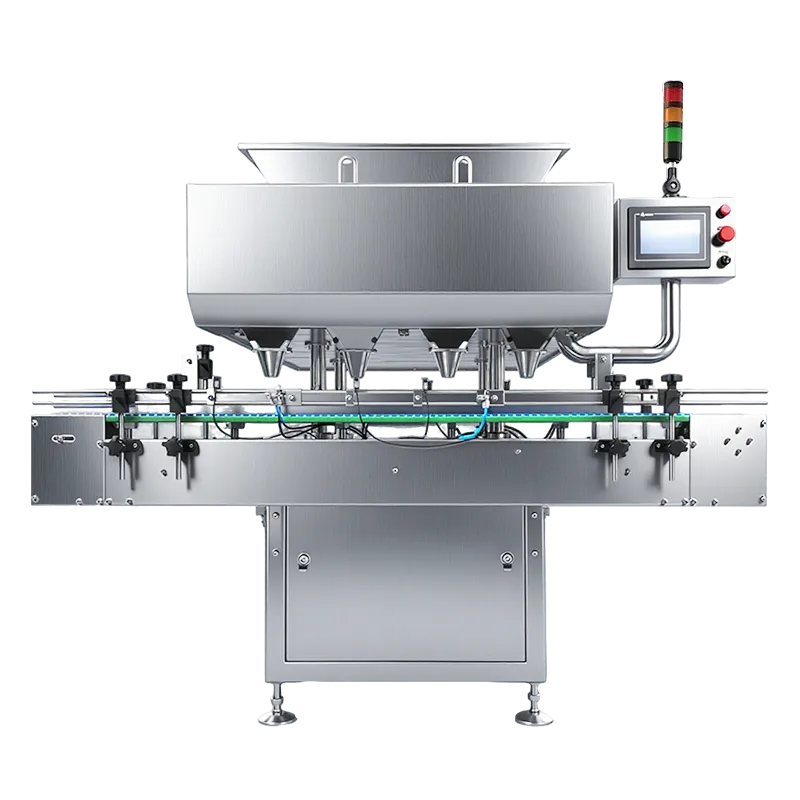
Cleaning Optical Sensors and Rollers to Maintain Counting Accuracy About Automatic Counting Machine
The Role of Optical Sensors in Automatic Counting Machine Performance
Optical sensors are the primary detection mechanism in automatic counting machines, using light refraction patterns to identify and tally items. Even minor dust layers or residue on sensor lenses can distort readings by up to 15%, leading to costly recounting errors in banking, retail, and pharmaceutical settings.
Step-by-Step Guide to Safely Clean Rollers and Sensor Surfaces
- Power down the machine and unplug it to prevent electrical damage
- Remove loose debris from rollers using compressed air or a soft bristle brush
- Apply manufacturer-recommended cleaning solution to microfiber cloths (never spray directly)
- Gently wipe sensor lenses in one direction to avoid scratches
How Dust Accumulation Impacts Detection Precision
Dust particles on optical components scatter light beams, causing false counts or unregistered items. A 0.1 mm dust layer on a sensor can reduce counting accuracy by 22% for transparent capsules or thin polymer bills.
Recommended Cleaning Frequency Based on Usage Intensity
| Usage Level | Cleaning Interval | Focus Areas |
|---|---|---|
| High-traffic (1,000+ counts/day) | Daily | Rollers, entry/exit sensors |
| Moderate (200–1,000 counts/day) | Weekly | Main counting chamber optics |
| Low (<200 counts/day) | Monthly | Full system inspection |
Using Manufacturer-Specific Tools and Procedures for Optimal Results
Manufacturers design specialized cleaning kits with anti-static wipes and sensor-safe solutions. Third-party alternatives may degrade acrylic sensor housings or leave residue. Always consult the user manual’s cleaning protocols—improper methods void 83% of equipment warranties according to industry servicing data.
Preventing Bill Jams Through Feeding Mechanism Maintenance
Common Causes of Bill Jams in Automatic Counting Machines
Bill jams primarily stem from worn currency (over 60% of cases), misaligned feed rollers, and debris accumulation in transport paths. Torn or folded bills create friction points, while improper roller alignment increases misfeed risks by 40% based on commercial maintenance logs.
Inspecting and Cleaning Feed Rollers for Smooth Operation
Weekly inspections prevent 85% of jam-related breakdowns. Use lint-free cloths and isopropyl alcohol to clean rollers, focusing on groove buildup that disrupts friction levels. Rotate roller positions monthly to ensure even wear distribution across contact surfaces.
Maintaining Proper Currency Condition to Reduce Jam Risks
Replacing bills showing visible wear—creases, tears, or excessive softness—can lower jam frequency by 90%, as demonstrated in ATM operator trials (ATM Marketplace 2025). Sort currencies by age and condition, prioritizing newer bills for high-volume counting sessions.
Case Study: Reducing Downtime in Retail Environments Through Proactive Jam Prevention
A regional retail chain decreased counting machine downtime by 72% after implementing biweekly maintenance checks and currency quality controls. Their protocol included replacing 25% of the oldest bills weekly and realigning feed mechanisms during shift changes, maintaining throughput rates above 98% during peak hours.
Ensuring Long-Term Accuracy with Regular Calibration
Why Calibration Is Critical for Automatic Counting Machine Reliability
Keeping machines properly calibrated means they stay within those tight error ranges below 1%, which is absolutely necessary for things like financial records and inventory tracking. When we skip regular maintenance checks, both the optical sensors and mechanical parts start drifting out of alignment because of all sorts of environmental stuff happening around them temperature changes, dust buildup, the whole nine yards. According to research published last year, nearly one third of problems with cash handling accuracy in retail stores actually came down to simple calibration delays. That's why getting into a good routine of checking and adjusting these systems makes such a big difference in day to day operations.
- Maintains compliance with ISO 17025 measurement standards
- Reduces miscounts in high-speed batch processing by ≤90%
- Prevents costly reconciliation errors in banking operations
Signs Your Machine Needs Recalibration
Monitor for these indicators between scheduled calibrations:
- ±5% variance in test-count results
- Frequent "double-feed" alerts despite clean bills
- Inconsistent totals across identical currency stacks
- Extended processing times for verified batches
Manufacturer Guidelines for Calibration Intervals and Methods
Always prioritize equipment-specific protocols over generic schedules:
| Usage Level | Recommended Calibration Frequency | Key Tools Required |
|---|---|---|
| Low (<5k bills/day) | Biannually | Microfiber cloths, alignment gauges |
| Moderate (5k-20k) | Quarterly | Manufacturer SDK software, test bills |
| High (>20k) | Monthly | Pneumatic sensor cleaners, torque wrenches |
Data Point: 30% of Inaccuracies Stem from Lack of Regular Calibration (Source: Industry Maintenance Report 2023)
The 2023 report analyzed 4,200 service tickets across 12 countries, revealing that skipping just one scheduled calibration increased error rates by 18–37% in mixed-denomination workflows.
Managing Environmental Factors to Extend Machine Lifespan
How Dust, Heat, and Humidity Affect Automatic Counting Machine Durability
Counting machines tend to wear out faster when they get dusty, run in temps over 95 degrees Fahrenheit, or deal with humidity above 60%. Dust gets into the sensors and builds up on moving parts inside, while excessive heat can warp plastic bits and mess with glue joints. When moisture levels climb too high, it eats away at metal connections within the counting system, which leads to all sorts of inaccurate readings. A recent look at equipment performance showed that machines placed near coastlines needed new parts almost half again as often compared to ones kept in controlled environments. This makes sense since salt air combined with regular humidity creates a tough environment for electronic components.
Best Practices for Reducing Dust Exposure in High-Traffic Areas
Install HEPA-filtered air purifiers within 10 feet of machines processing over 10,000 items daily. Use anti-static wipe-downs every four operational hours in facilities with airborne particulates from packaging or textiles. Retail environments report 28% fewer sensor-related service calls after implementing three-layer dust mitigation:
- Physical barriers: Transparent acrylic shields blocking lateral airflow
- Pre-entry cleaning: Compressed-air stations for staff to decontaminate currency stacks
- Post-shift protocols: Vacuuming internal ducts with ULPA-filtered extractors
Controlling Heat and Humidity to Prevent Electronic Failures
Maintain ambient temperatures between 64–82°F (18–28°C) and relative humidity below 55% using standalone dehumidifiers or HVAC integration. Critical thresholds verified through seven-month field testing:
| Parameter | Safe Range | Failure Risk Beyond Range |
|---|---|---|
| Temperature | ≤86°F (30°C) | Capacitor lifespan halves |
| Relative Humidity | ≤60% | Circuit corrosion triples |
Banking institutions using dual-zone climate controls reduced automatic counting machine downtime by 67% compared to facilities relying solely on central air systems.
Trend Analysis: Increasing Adoption of Climate-Controlled Enclosures in Banking Sectors
73% of surveyed financial institutions now deploy sealed counting stations with integrated thermal management, up from 49% in 2020. These 19"–23" wide enclosures maintain ISO 14644-1 Class 8 air cleanliness through positive pressure ventilation and particulate monitoring. Early adopters report 22% longer service intervals for optical sensors and a 31% reduction in humidity-related motor failures.
Monitoring and Replacing Worn Mechanical Components Proactively
Proactive component management prevents 47% of automatic counting machine failures in high-volume environments according to manufacturing studies.
Identifying Early Signs of Wear in Rollers, Belts, and Motors
Listen for irregular grinding noises during operation—the first indicator of bearing degradation in feed mechanisms. Measure belt tension monthly, replacing when elasticity drops 15% below factory specifications. Advanced diagnostic methods like vibration analysis and infrared thermography enable early detection of motor winding issues before catastrophic failure occurs.
Scheduled Inspections Based on Usage Levels to Extend Machine Lifespan
High-throughput machines processing 15,000+ items daily require biweekly roller inspections, while occasional-use units need monthly checks. Track gearbox temperatures during peak operation—sustained readings above 140°F (60°C) signal impending bearing failures. Maintain precise documentation of wear patterns to optimize replacement schedules.
Replacing Critical Components Before Failure to Avoid Costly Repairs
Stock replacement drive belts (average lifespan: 2 years) and sensor-cleaning modules for immediate swaps during maintenance windows. Replace feed rollers when diameter decreases by 3% from original specs to prevent currency alignment errors. Proactive motor brush replacements every 500 operating hours reduce emergency repair costs by 62% in 24/7 retail applications.
FAQ: Automatic Counting Machines
How often should I clean the rollers and sensors of my counting machine?
High-traffic machines should be cleaned daily, moderate use machines weekly, and low use machines monthly to maintain accuracy.
What are signs that my counting machine needs recalibration?
Signs include test-count variances, frequent alerts despite clean bills, inconsistent totals, and longer processing times.
How do dust and environmental factors affect my machine?
Dust can distort sensor readings, while heat and humidity can lead to parts wear and inaccuracies. It's important to maintain a clean and controlled environment.
What can cause bill jams in the machine?
Bill jams can be caused by worn currency, misaligned feed rollers, and debris accumulation. Regular maintenance and proper currency conditions can reduce risks.
Table of Contents
-
Cleaning Optical Sensors and Rollers to Maintain Counting Accuracy About Automatic Counting Machine
- The Role of Optical Sensors in Automatic Counting Machine Performance
- Step-by-Step Guide to Safely Clean Rollers and Sensor Surfaces
- How Dust Accumulation Impacts Detection Precision
- Recommended Cleaning Frequency Based on Usage Intensity
- Using Manufacturer-Specific Tools and Procedures for Optimal Results
- Preventing Bill Jams Through Feeding Mechanism Maintenance
- Ensuring Long-Term Accuracy with Regular Calibration
- Managing Environmental Factors to Extend Machine Lifespan
- How Dust, Heat, and Humidity Affect Automatic Counting Machine Durability
- Best Practices for Reducing Dust Exposure in High-Traffic Areas
- Controlling Heat and Humidity to Prevent Electronic Failures
- Trend Analysis: Increasing Adoption of Climate-Controlled Enclosures in Banking Sectors
- Monitoring and Replacing Worn Mechanical Components Proactively